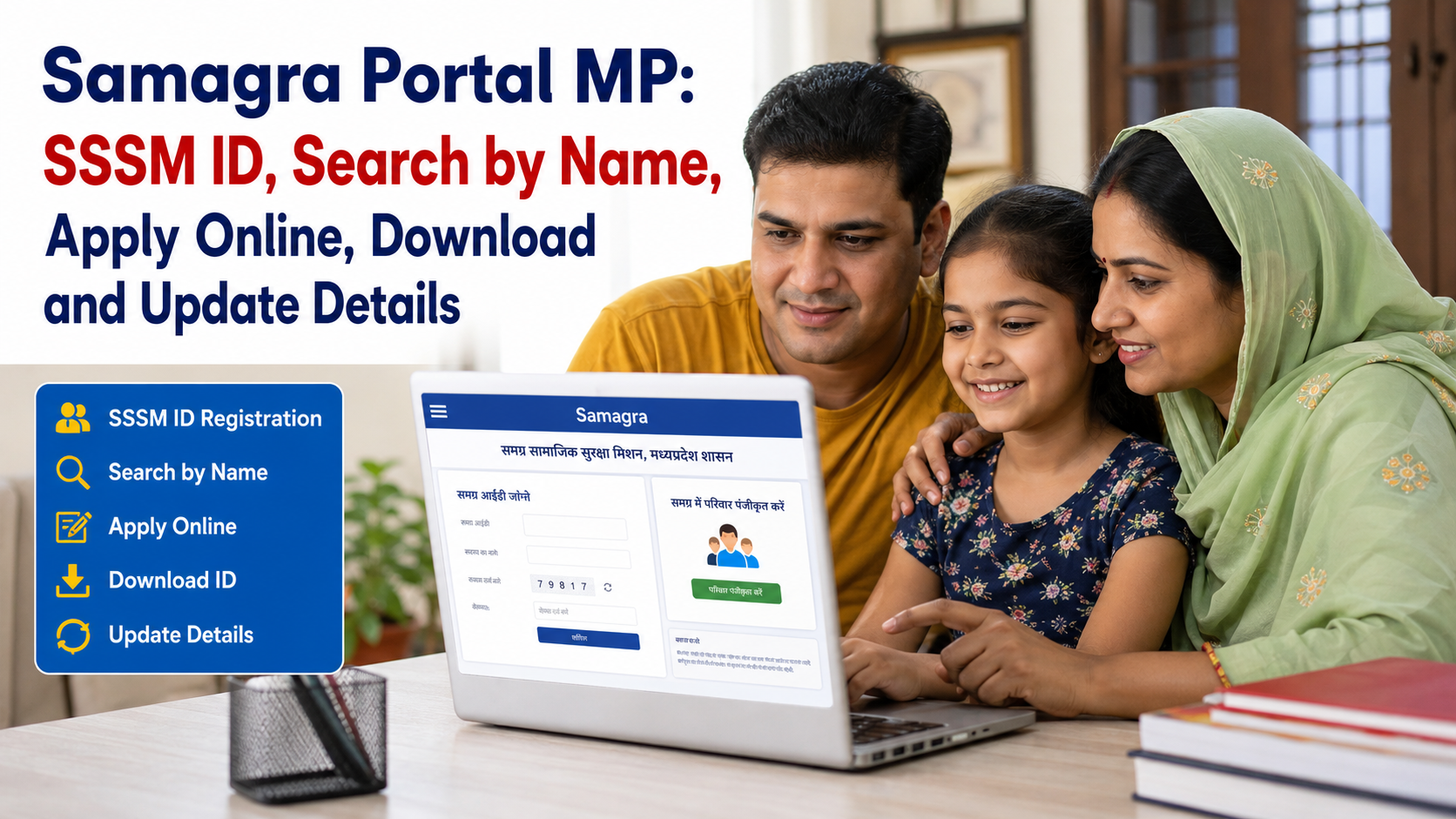
The Samagra Portal MP:The Samagra Portal MP is an important digital platform created by the Government of Madhya Pradesh to help residents access various government services and welfare schemes. Through the Samagra system, families and individual members can receive a unique identification number known as the Samagra ID or SSSM ID
The Samagra system is designed to maintain family and member information in one integrated database. According to Madhya Pradesh government information, a Samagra Family ID is generally an 8-digit number, while a Member ID is generally a 9-digit number. These unique IDs can be used for identifying eligible beneficiaries across different government services and schemes.
Important: Always use official government portals for registration, e-KYC, profile updates, and other Samagra-related services. Avoid sharing OTPs, Aadhaar details, or personal information with unknown websites or individuals.
Samagra Portal MP 2026-27: Overview
| Particular | Details |
|---|---|
| Article Name | Samagra Portal MP |
| State | Madhya Pradesh |
| Official System | Samagra Social Security Mission |
| Common Name | Samagra Portal / SSSM Portal |
| Family ID | Generally 8 digits |
| Member ID | Generally 9 digits |
| Main Purpose | Family and beneficiary identification for government services |
| Services | Registration, ID search, profile updates, e-KYC and other citizen services |
| Official Portal | samagra.gov.in |
| Eligibility | Madhya Pradesh residents, subject to applicable registration rules |
| Application Mode | Online and through authorised local bodies, depending on the service |
What Is Samagra Portal MP?
The Samagra Portal is an integrated citizen information and service platform of the Madhya Pradesh government. The main purpose of the system is to create a central record of families and family members living in the state.
Instead of maintaining completely separate beneficiary records for every government scheme, the Samagra system can help departments identify and verify citizens through a common family and member database.
The platform supports a broader approach to social security and public service delivery. Madhya Pradesh government sources describe Samagra as an integrated programme aimed at making governance more inclusive and helping citizens access government benefits and services through a coordinated system.
A Samagra record can contain basic family and member information that may be required for different government services.
What Is a Samagra ID or SSSM ID?
A Samagra ID, also called an SSSM ID, is a unique identification number generated under the Samagra Social Security Mission system.
There are generally two important types of IDs:
1. Samagra Family ID
The Family ID is connected with the entire registered family. Government information describes the Samagra Family ID as an 8-digit identification number.
2. Samagra Member ID
Every registered member of the family can receive an individual Member ID. Government information describes the Member ID as a 9-digit number.
Both IDs help identify the family and individual member within the Samagra database.
Who Can Get a Samagra ID?
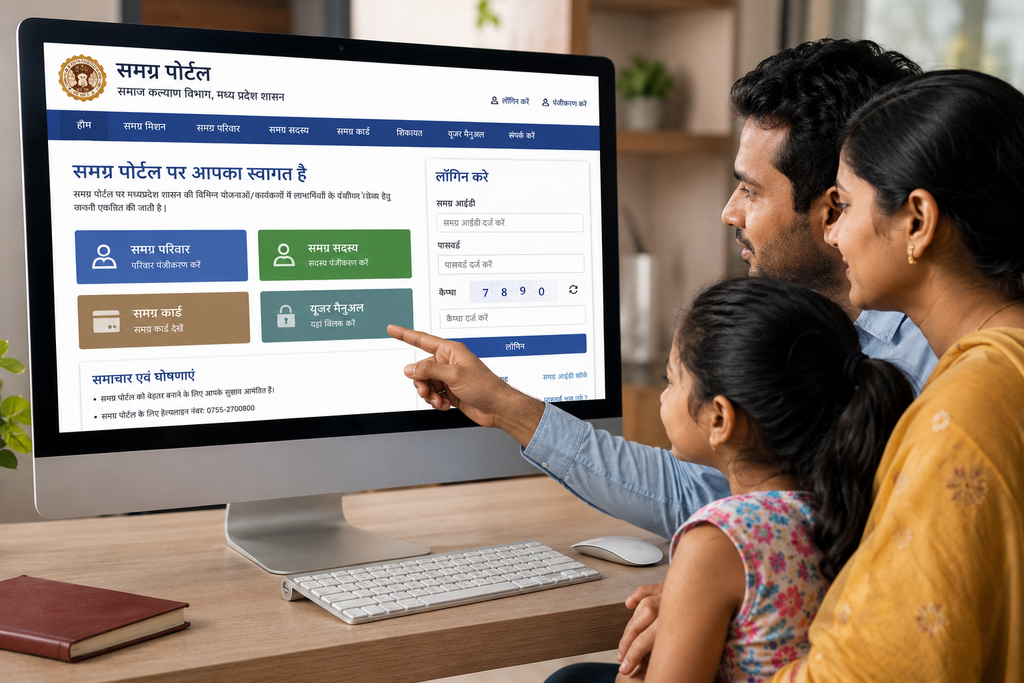
The Samagra system is primarily intended for people and families residing in Madhya Pradesh.
If you are eligible for registration and your family details are not already available in the system, you may need to complete the appropriate registration process through the official portal or an authorised local government body.
In some situations, a person may already have a Family ID but may need to add a new family member or correct existing information.
Before applying for a new ID, it is a good idea to check whether a Samagra Family ID or Member ID already exists for the person or family. This can help avoid duplicate records.
Uses and Benefits of Samagra ID
A Samagra ID can be important for accessing or verifying eligibility for various Madhya Pradesh government services. Depending on the specific scheme and its eligibility rules, Samagra information may be used for services related to:
- Social security programmes
- Pension-related services
- Scholarships and education assistance
- BPL-related records
- Food and public distribution services
- Marriage assistance programmes
- Labour-related welfare services
- Other state government schemes and beneficiary services
How to Apply for Samagra ID Online?
The online registration process may change over time as the Madhya Pradesh government updates its portal and citizen services. Therefore, applicants should always check the latest options available on the official Samagra Portal.
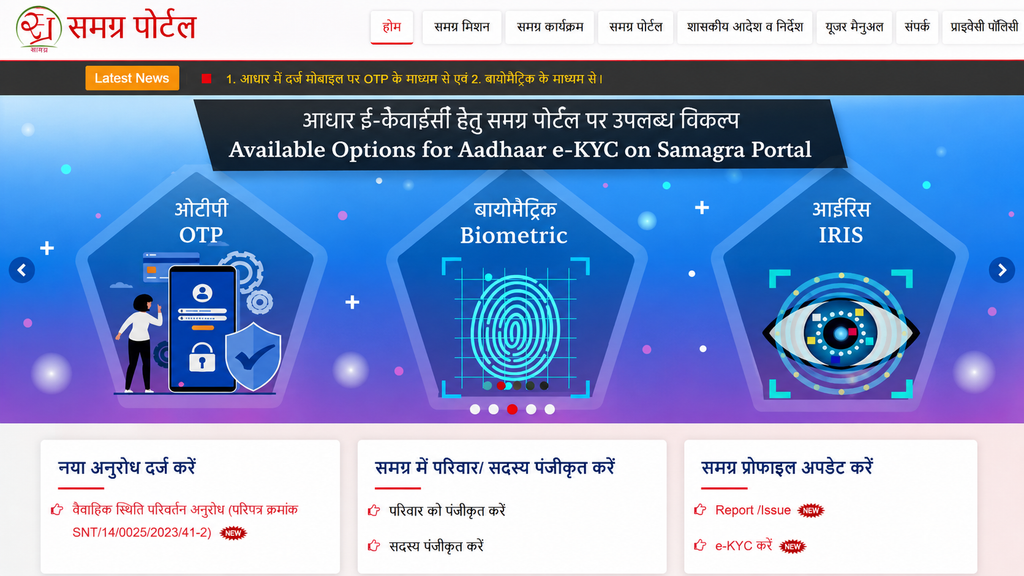
Step 1: Visit the Official Samagra Portal
Open the official Samagra Portal through the Madhya Pradesh government website.
Look for the citizen services or registration section.
Step 2: Choose Family Registration or Member Registration
If your family is not registered in the system, you may need to select the option related to family registration.
If your family is already registered and you only need to add another member, select the relevant member registration option.
Step 3: Enter the Required Details
- Name
- Date of birth
- Address
- Family details
- Relationship with the family head
- Mobile number
- Other information required in the registration form
Step 4: Upload or Provide Required Documents
Depending on the service and registration process, supporting documents may be required.
The exact document requirements can change depending on the type of request. Always follow the latest instructions shown on the official portal or provided by the authorised local office.
Step 5: Complete Verification
You may need to verify your details using an OTP.Never share an OTP with an unknown person.
Step 6: Submit the Application
After checking all information carefully, submit the registration request.
If the application is successfully processed, the Samagra system may generate or update the relevant Family ID or Member ID.
Can You Apply for Samagra ID Offline?
Yes, certain Samagra-related services may also be handled through authorised local government bodies.Depending on your area, you may contact the appropriate local authority, such as:
- Gram Panchayat
- Janpad Panchayat
- Municipal Corporation
- Nagar Palika
- Nagar Panchayat
- Other authorised local government offices
The available process may differ between rural and urban areas.
If you are applying offline, take original documents and copies only as required by the authorised office. Ask the concerned office for the latest list of documents before submitting your request.
How to Search Samagra ID by Name?
The official Samagra system provides different search and citizen service options. Depending on the service currently available, users may be able to search or verify Samagra details using information such as:
- Family information
- Member information
- Registered mobile number
- Other identification details available in the official system
General Steps for Samagra ID Search
- Visit the official Samagra Portal.
- Open the citizen services or Samagra ID search section.
- Select the appropriate search option.
- Enter the requested details carefully.
- Complete the required verification.
- Check the displayed Family ID or Member ID details.
The exact search fields may change when the portal is updated.
Tip: Use only your own information or information you are legally authorised to access. Samagra records can contain personal data.
How to Search Samagra ID Using Mobile Number?
If your mobile number is registered with your Samagra record, the portal may provide a relevant search or verification option.
The general process may include:
- Open the official Samagra website.
- Select the available ID search service.
- Enter the registered mobile number if requested.
- Complete OTP verification, where applicable.
- View the available Family ID or Member ID information.
Make sure the mobile number entered is the one linked with the relevant Samagra record.
Samagra ID e-KYC: What You Should Know
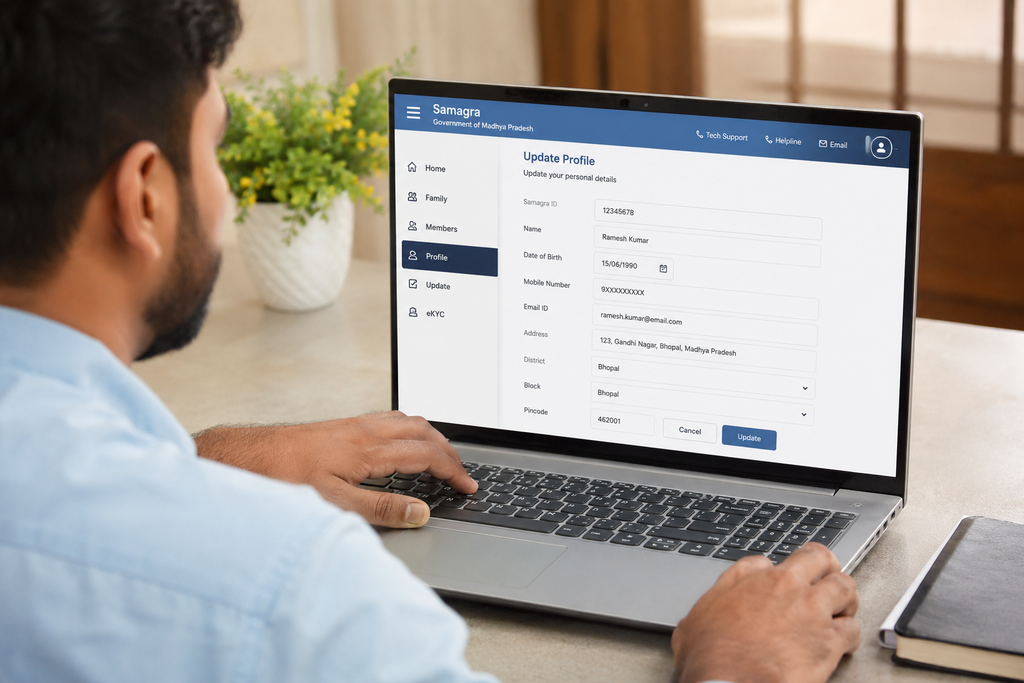
The Madhya Pradesh government also provides Aadhaar-related e-KYC services connected with the Samagra system.
Government portals state that e-KYC can be used for verification and may be required for certain services or applications. The exact process and requirements depend on the particular service.
If e-KYC is required, users should complete it only through the official Samagra or authorised government platform.
Important Points About Samagra e-KYC
- Use official government websites only.
- Check whether Aadhaar e-KYC is required for your specific service.
- Keep your mobile number details updated where required.
- Follow the latest instructions shown on the official portal.
- Never share your OTP with another person.
- Check your e-KYC status through authorised services.
How to Download or Print Samagra ID?
If you already have a Samagra Family ID or Member ID, you may be able to access a printable record through the official portal.
The general process is usually:
- Visit the official Samagra Portal.
- Open the citizen services section.
- Select the option related to printing or viewing the Family Card or Member Card.
- Enter the required Samagra Family ID or Member ID.
- Complete any required verification.
- View the record.
- Use the available option to print or save the document if the portal provides it.
How to Add a New Member to an Existing Samagra Family ID?
If your family already has a Samagra Family ID but a family member is missing from the record, you should not normally create an unnecessary duplicate family record.
Instead, look for the official service related to member registration or adding a family member.
- Existing Family ID
- Name of the new member
- Date of birth
- Relationship with the family head
- Address
- Supporting documents, where required
How to Update Samagra Profile Details?
Sometimes information in a Samagra record may need correction or updating. For example, a person may need to request an update to certain personal or family details.
Depending on the services currently available, the Samagra system may provide profile update options for eligible changes.
Before Requesting an Update
Check the information carefully and keep the necessary supporting documents ready.
Possible update-related services may involve details such as:
- Name corrections
- Family information
- Parent or guardian information
- Address-related details
- Qualification details
- Other information supported by the official portal
Documents Required for Samagra ID
The required documents may depend on whether you are registering a new family, adding a member, or requesting a correction.
You may need relevant documents for:
- Identity verification
- Address verification
- Date of birth verification
- Family relationship verification
- Other information required for the specific request
Common Problems While Using Samagra Portal
Some users may face technical or information-related problems while accessing the portal.
1. Samagra ID Not Found
Check whether you entered the Family ID or Member ID correctly. You can also try another available search method if supported.
2. Mobile Number Is Not Available
You may need to use the official profile update or verification process if the linked mobile number needs correction.
3. e-KYC Status Is Pending
Check the official e-KYC status service and follow the instructions shown by the government portal.
4. Wrong Family Details
Use the official correction or profile update service rather than creating a duplicate record.
5. Website Is Not Opening
Government portals can sometimes experience heavy traffic or maintenance. Try again later and make sure you are using the correct official website.
Samagra Portal MP: Important Safety Tips
Government-service websites often involve sensitive personal information. Follow these basic safety precautions:
- Use only official government portals.
- Do not share OTPs with anyone.
- Do not pay unofficial agents without verifying their authorisation.
- Do not upload documents on unknown websites.
- Check the website address before entering personal details.
- Keep your Samagra details accurate and updated.
- Take help from authorised local government offices when needed.
Frequently Asked Questions (FAQs)
What is Samagra ID?
Samagra ID is a unique identification number used in the Madhya Pradesh Samagra system to maintain family and member information for government services and beneficiary-related programmes.
What is the difference between Family ID and Member ID?
Samagra ID is a unique identification number used in the Madhya Pradesh Samagra system to maintain family and member information for government services and beneficiary-related programmes.
Can I search my Samagra ID by name?
The official Samagra system provides different citizen search and verification services. The available search method may depend on the current portal features and the information required for verification.
Can I apply for Samagra ID online?
Online registration and citizen services may be available through the official Samagra Portal. The exact process should always be checked on the current official website.
Can I add a new family member to an existing Samagra ID?
Yes, the system provides services related to family and member registration. Use the appropriate member-related service rather than creating an unnecessary duplicate family record.
Is Samagra ID necessary for every government scheme?
A Samagra ID may be used for identification or verification in many Madhya Pradesh government services, but each scheme has its own eligibility requirements. Having a Samagra ID does not automatically guarantee benefits.
How can I update my Samagra details?
Use the official Samagra profile update or correction service, where available. Some changes may require verification and supporting documents.
How can I print my Samagra card?
Visit the official Samagra Portal and check the available Family Card or Member Card printing service. Enter the required ID and follow the instructions shown on the portal.
Conclusion
The Samagra Portal MP is an important digital platform for residents of Madhya Pradesh. It helps maintain family and member records through unique Samagra Family IDs and Member IDs and supports access to various government-related services.
Whether you want to apply for a Samagra ID, search your SSSM ID, add a family member, complete e-KYC, update details, or download your Samagra card, it is important to use official government services and follow the latest instructions.
Since government portals and procedures can change, citizens should always verify the latest requirements before submitting an application or uploading personal documents. Keeping your Samagra information accurate can help ensure that your details are correctly available when required for eligible Madhya Pradesh government services.